

What you will accomplish
- Select a currently active market
- Choose Buy for long or Sell Short for short
- Review the price, amount, and collateral used
- Verify the completed order and position
Before you begin
- A funded Quote.Trade account
- Current account margin and buying power
- A maximum amount you are prepared to risk
- No deposit, withdrawal, or order still showing as pending
Prices and order values are shown in USD. The payment currency is the supported stablecoin used by the account, such as USDC or USDT. The funding network is the blockchain used to deposit that stablecoin. Check the live app for the available currency, minimum amount, and leverage.
Confirm your available balance and risk limit
Confirm the account balance and that losing the test collateral is acceptable.
Choose a market in the live app
Use current market status and quantityScale. Do not assume every advertised market is active or liquid.
Choose Buy or Sell Short
Select Buy to open or add to a long position. Select Sell Short to open or add to a short position. Always confirm the resulting direction in the Positions tab.
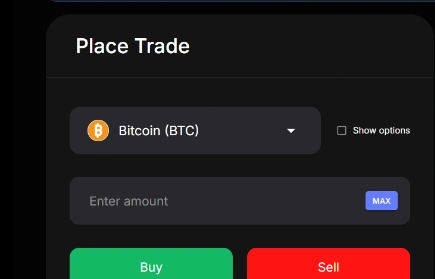
Enter quantity and review leverage
Keep leverage disabled for a first test. When explicitly enabled, supported perpetual markets offer leverage up to 20×. Limits vary by asset, position size, and account; leverage increases liquidation risk.
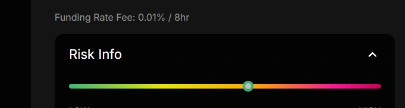
Review the price, amount, and payment currency
Confirm the market, side, amount, all-in USD price, estimated notional, payment currency, account, and leverage setting before submitting.
Submit once and confirm the position
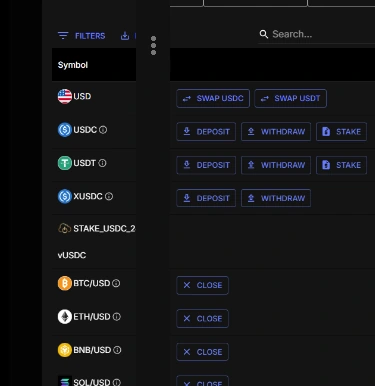
Place the smallest practical trade. Then open Positions and confirm the symbol, direction, size, and opening price. If the result is unclear, check Orders and Positions before trying again.
Common problems and fixes
The market is unavailable
Choose only a symbol marked active in the live app and exchange metadata.
The order is rejected for size or precision
Review current minimum quantity and scale, then enter a valid smaller or properly rounded amount.
The interface response is delayed
Do not submit the order again. Check Orders and Positions first to see whether the original request completed.
The position direction is wrong
Stop adding exposure. Use the current close workflow and contact support if state is unclear.